神经网络入门学习资源
这份清单是我刚开始学神经网络时慢慢攒下来的。现在回头看,里面有些工具已经不再活跃,但用来理解网络结构仍然有参考价值。我的使用顺序很简单:先看视频建立整体概念,遇到公式和代码问题再翻笔记,最后用可视化工具核对每一层的输入输出。
视频课
博客笔记
可视化
部分资料摘自数据studio,其余为自行收集。可视化工具不一定都要用,初学阶段优先看 NN-SVG、TensorBoard 和 CNN Explainer 就够了。
1. PlotNeuralNet
使用 LaTeX 绘制神经网络,适合生成论文风格的结构图:https://github.com/HarisIqbal88/PlotNeuralNet
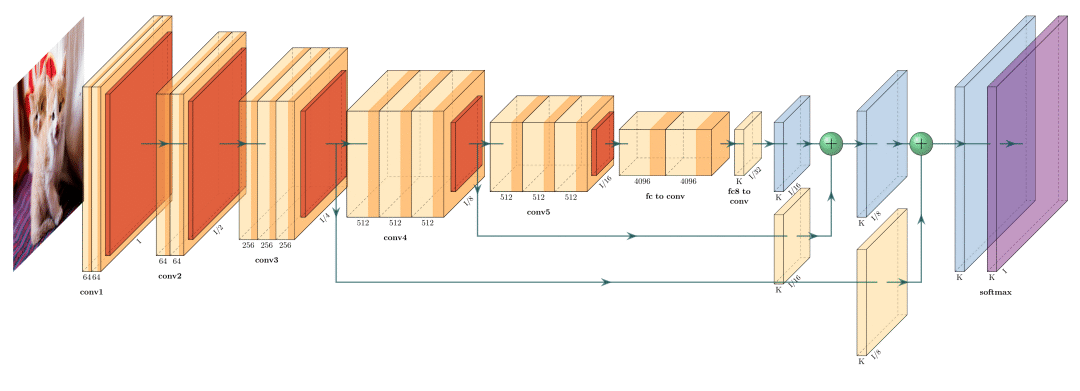
FCN-8模型
overleaf上Latex代码:https://www.overleaf.com/read/kkqntfxnvbsk
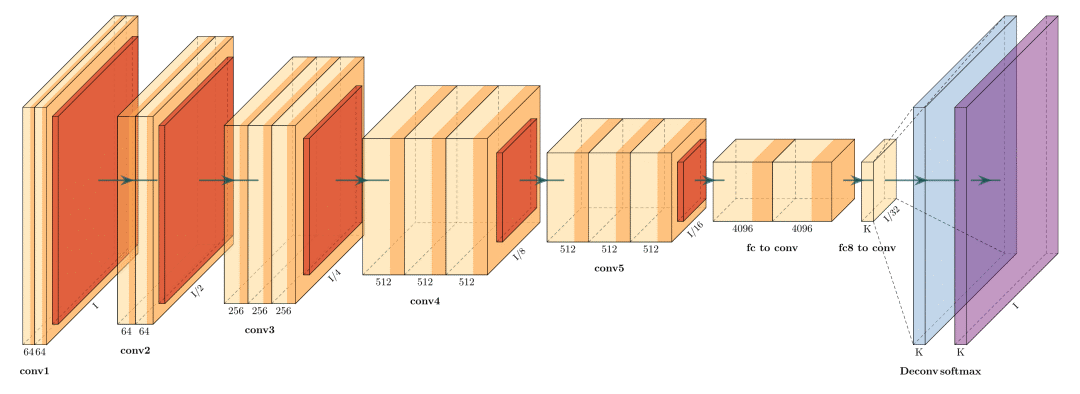
FCN-32模型
overleaf上Latex代码:https://www.overleaf.com/read/wsxpmkqvjnbs
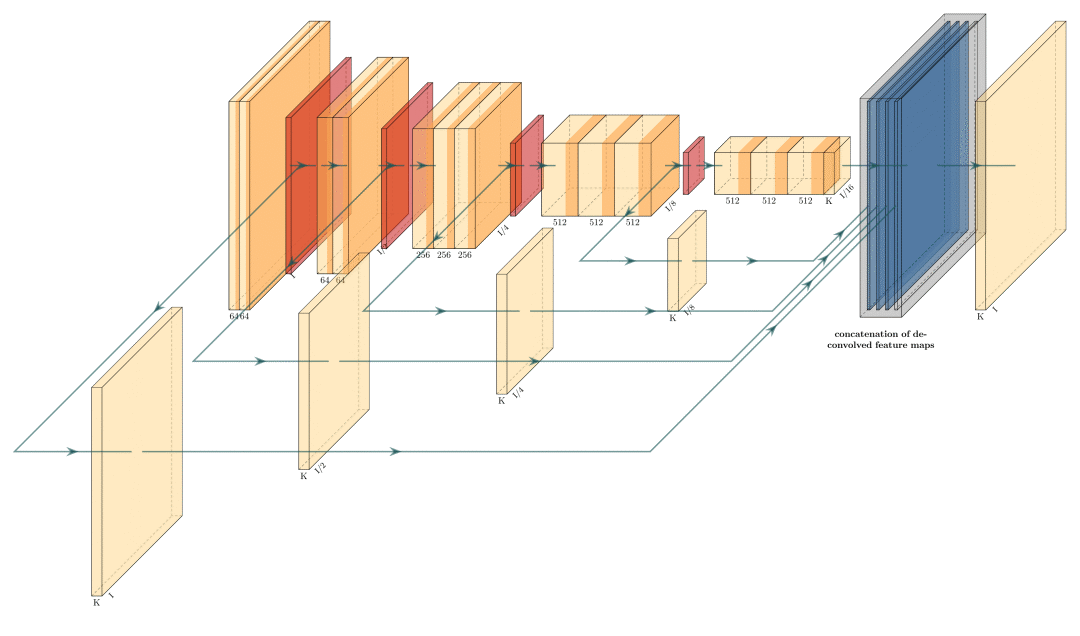
Holistically-Nested Edge Detection
overleaf上Latex代码:https://www.overleaf.com/read/jxhnkcnwhfxp
2. MATLAB
https://www.mathworks.com/help/deeplearning/ref/view.html;jsessionid=bd77484ba149c98d4d410abed983
1 | [x,t] = iris_dataset; |
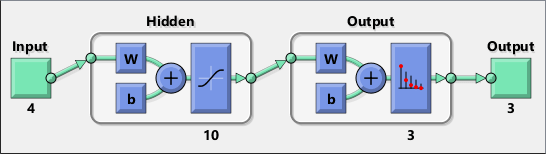
3. NN-SVG
一个直接在网页里编辑网络结构的工具,上手很快:http://alexlenail.me/NN-SVG/LeNet.html
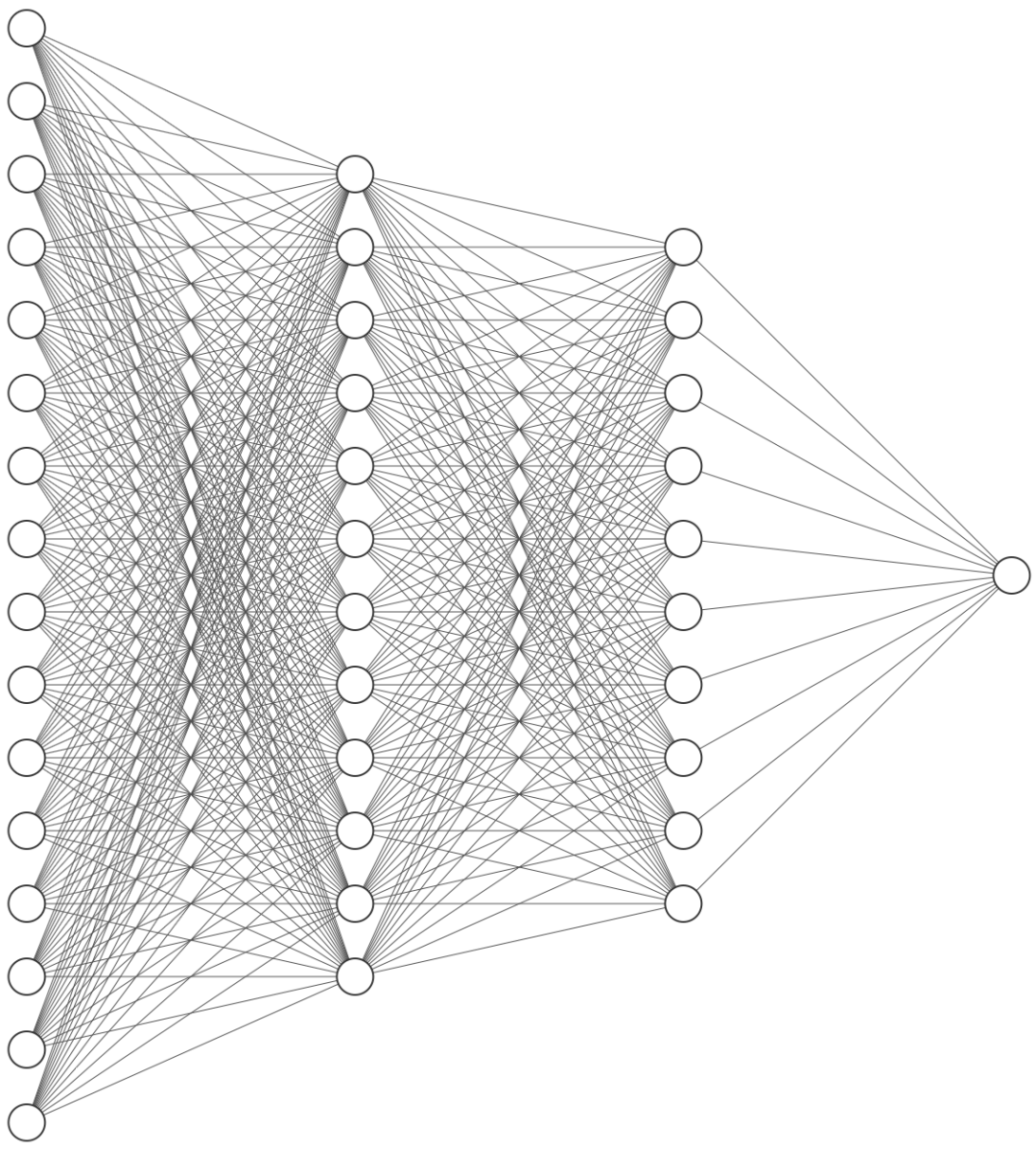
AlexNet模型
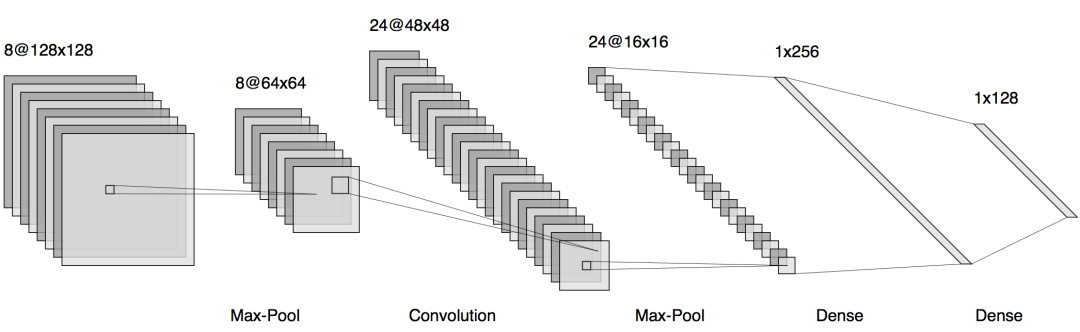
LeNet模型
4. Graphcore
以接近生物神经元的形式展示网络:https://www.graphcore.ai/posts/what-does-machine-learning-look-like
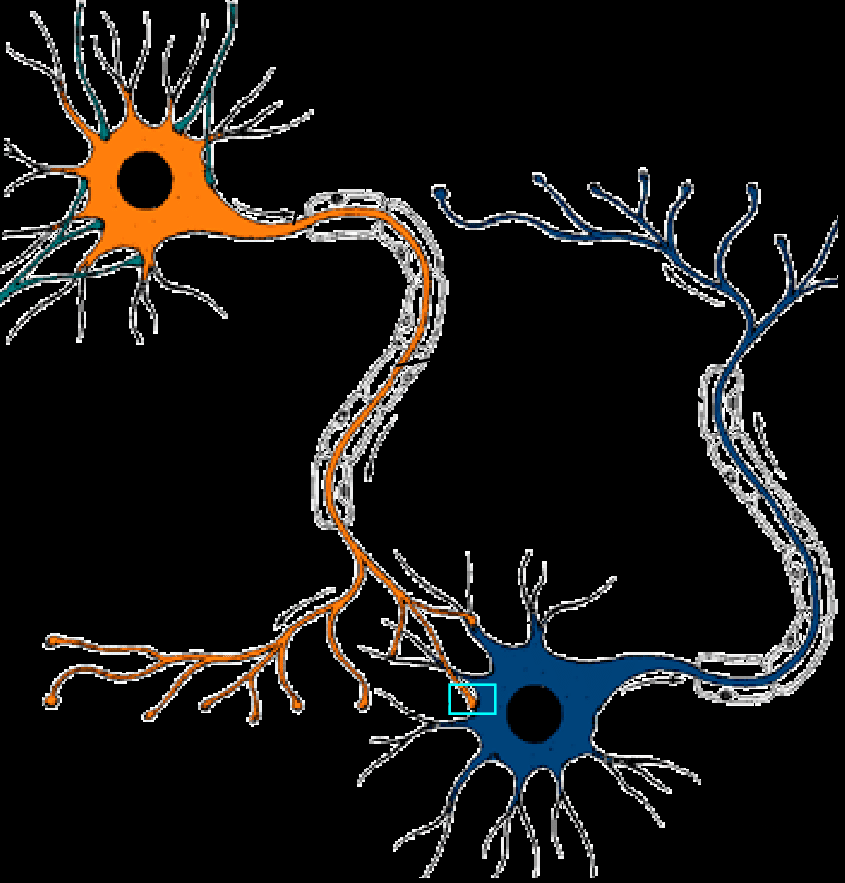
生物细胞神经元模式图
AlexNet模型
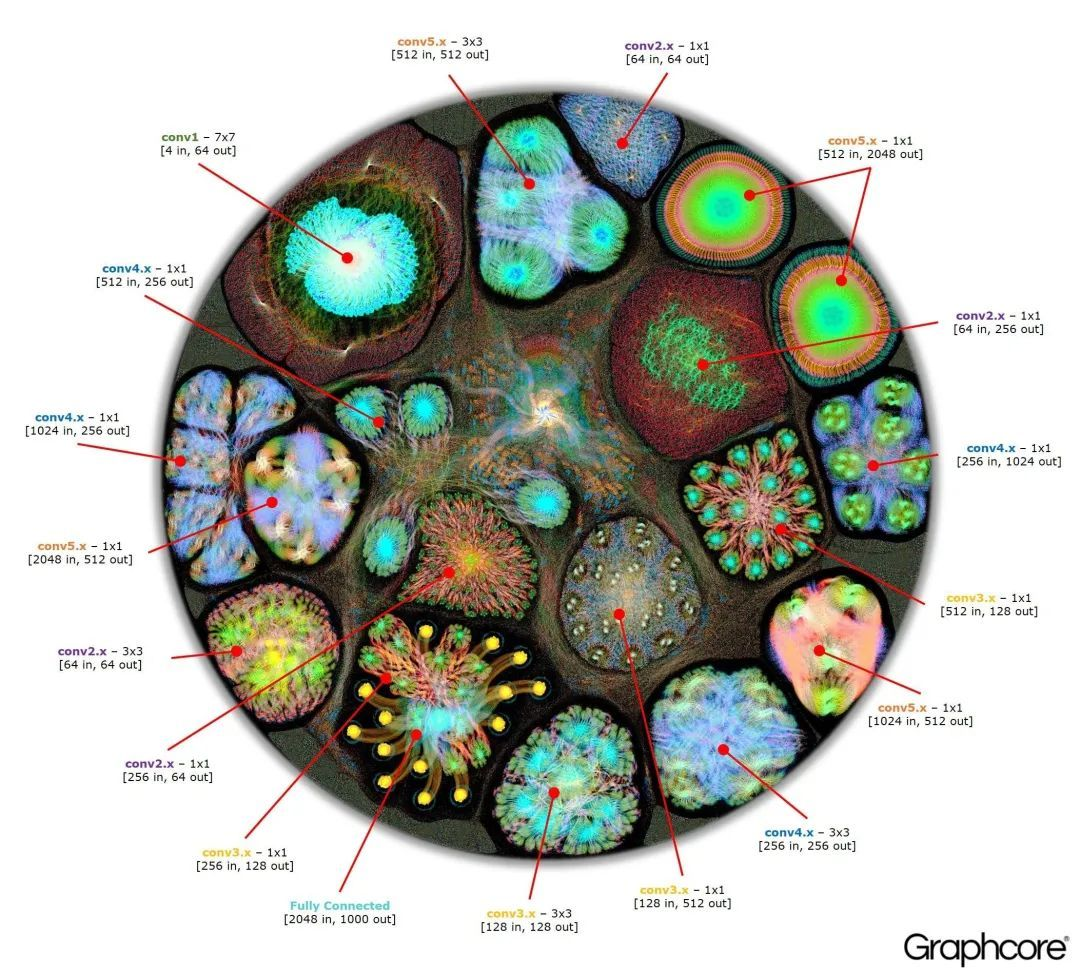
Resnet 50模型
5、graphviz
之前介绍过一个类似绘制网络关系的工具👉盘一盘社交网络分析常用networks
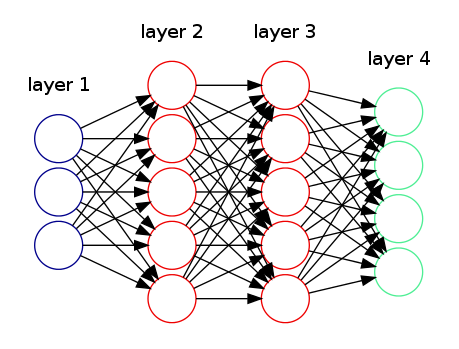
4层网络
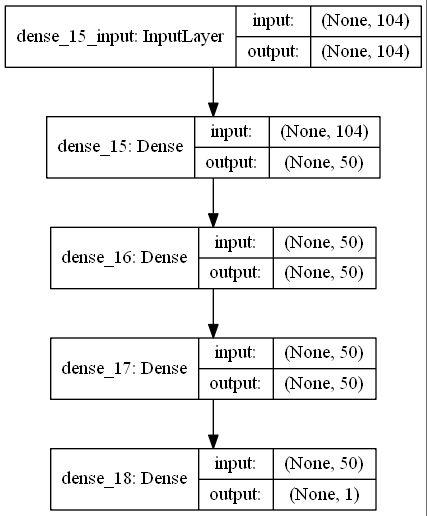
6、Keras
深度学习框架Keras下的一个小模块,
https://keras.io/api/utils/model_plotting_utils/
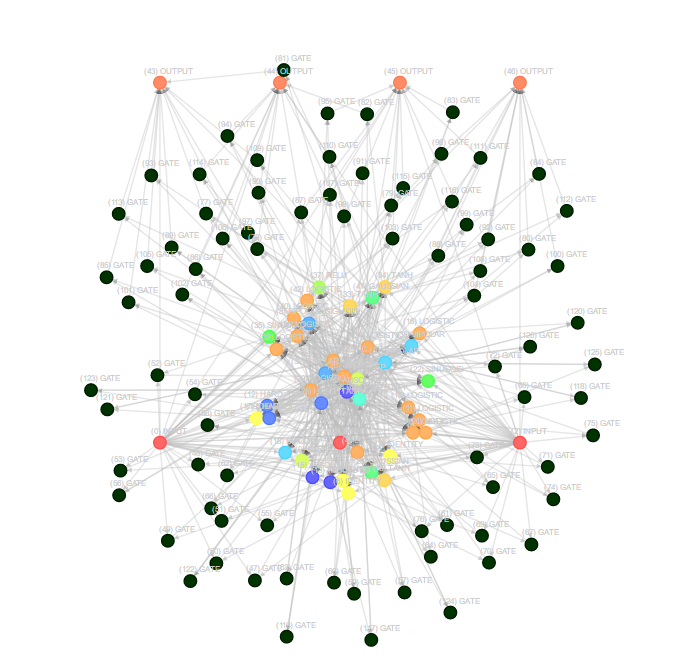
7、neataptic
https://github.com/wagenaartje/neataptic
8、Quiver
https://github.com/keplr-io/quiver
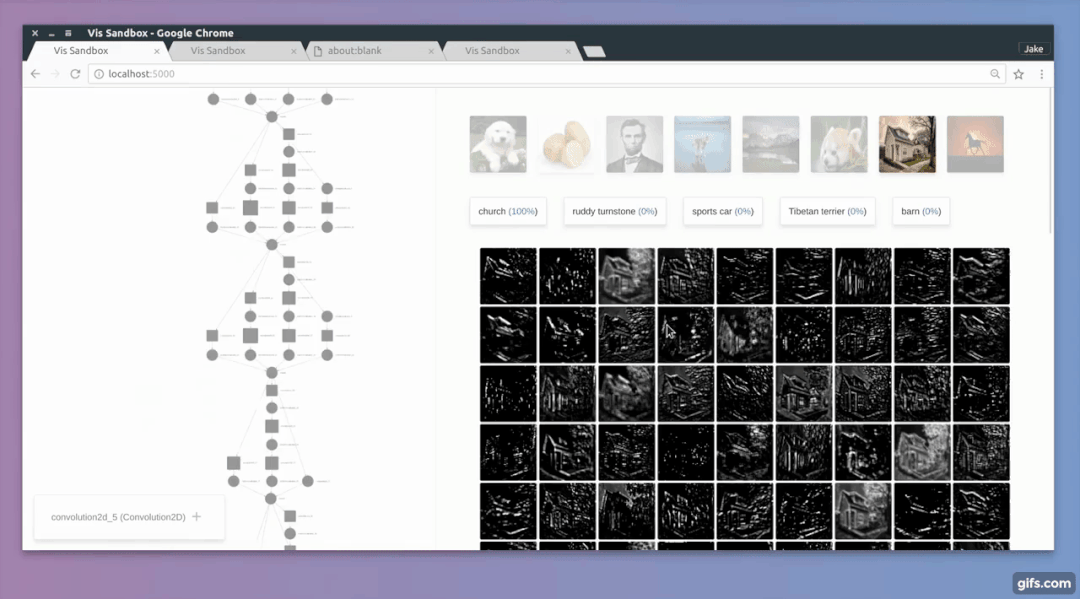
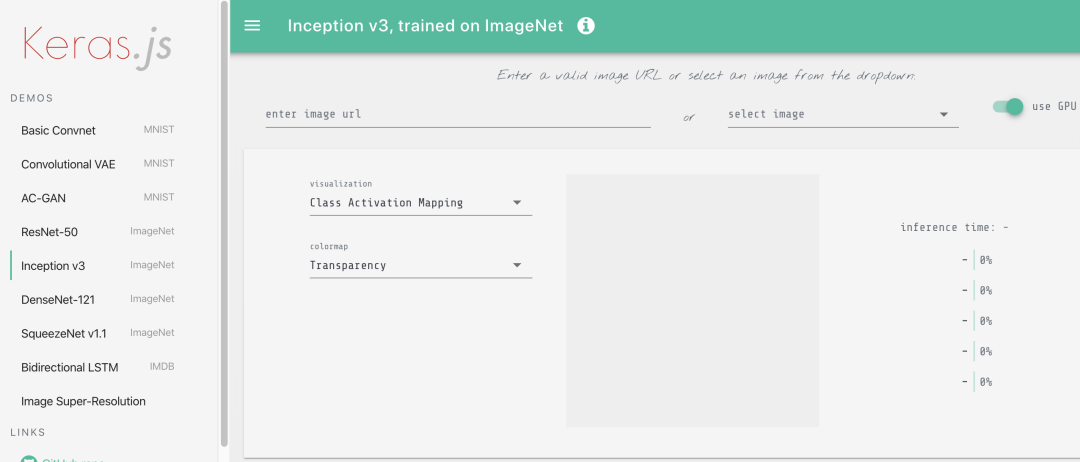
9、Keras.js
在线工具
https://transcranial.github.io/keras-js/#/inception-v3
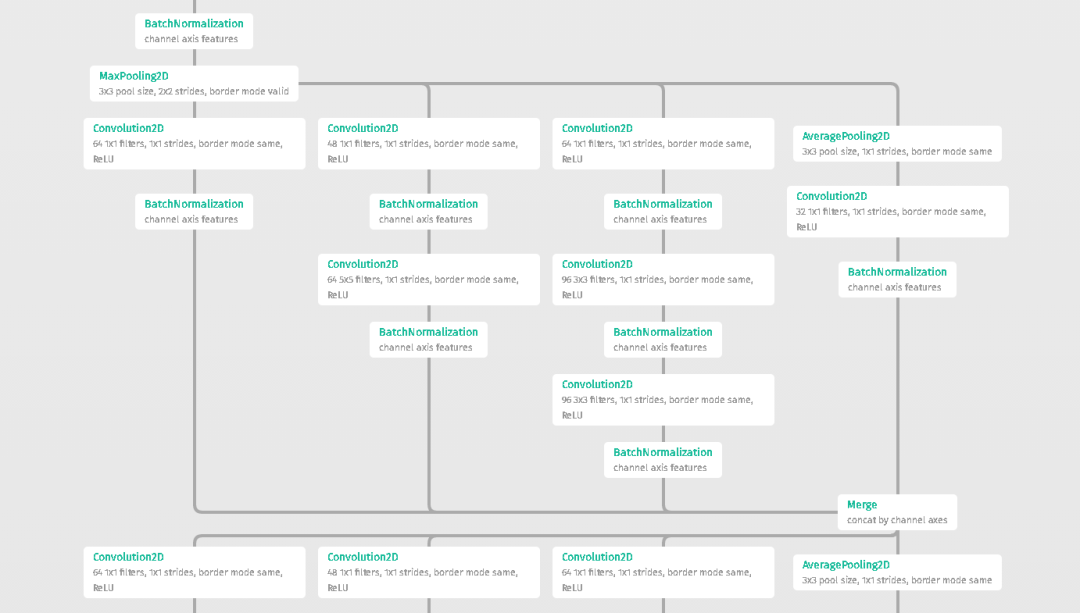
10、Netscope CNN Analyzer
http://dgschwend.github.io/netscope/quickstart.html
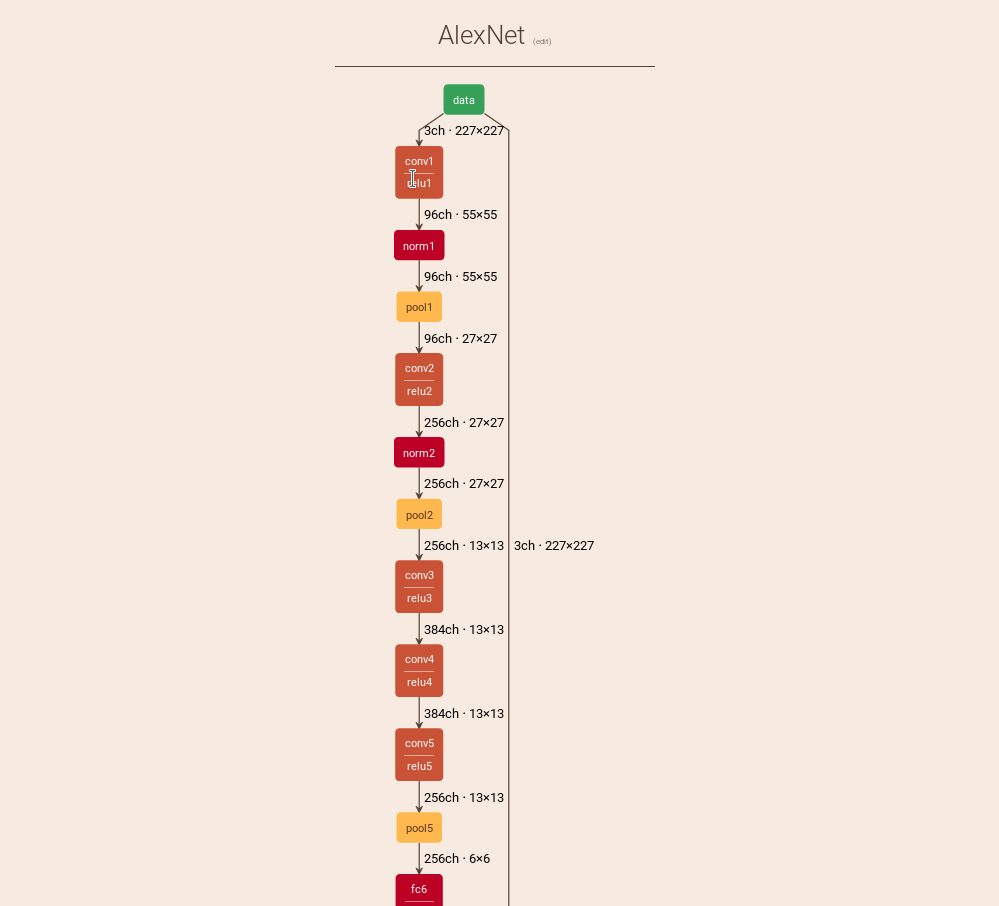
11. keras-sequential-ascii
https://github.com/stared/keras-sequential-ascii/
VGG 16 Architecture
1 | OPERATION DATA DIMENSIONS WEIGHTS(N) WEIGHTS(%) |
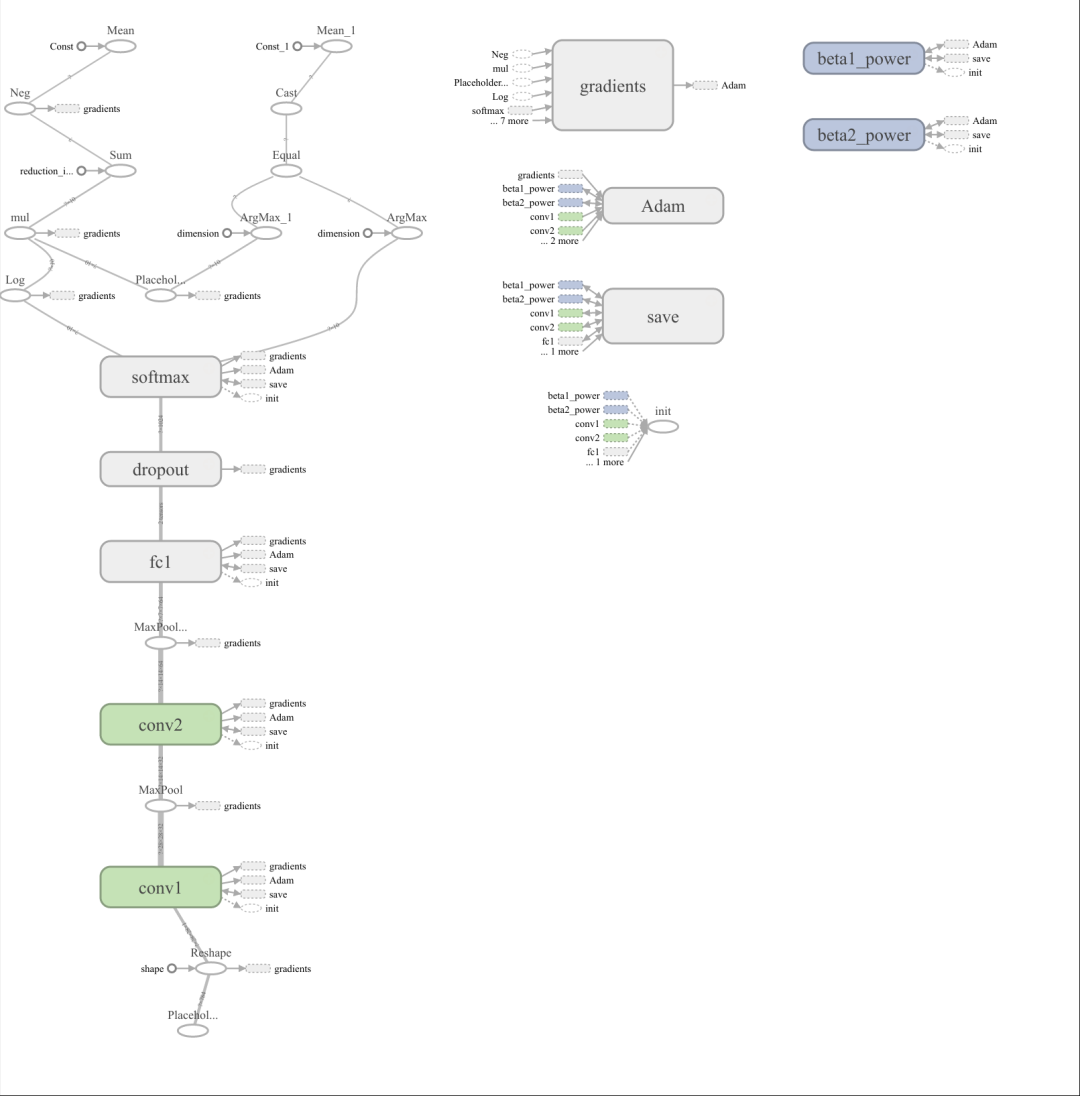
12、TensorBoard
一个评估深度学习框架TensorFlow模型的强力工具。
https://www.tensorflow.org/tensorboard/graphs
13. Caffe
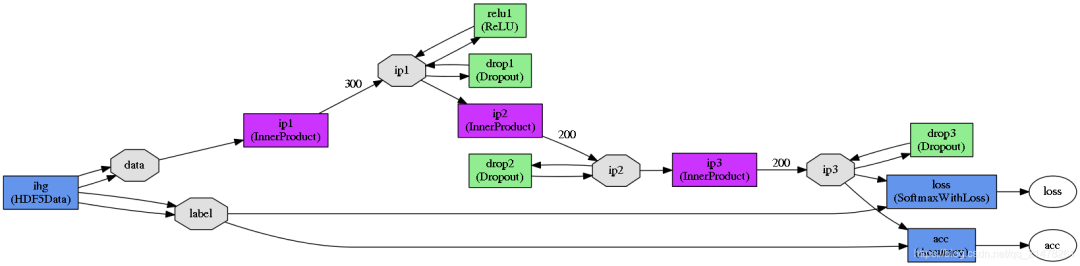
Caffe 自带的网络绘图脚本:
https://github.com/BVLC/caffe/blob/master/python/caffe/draw.py
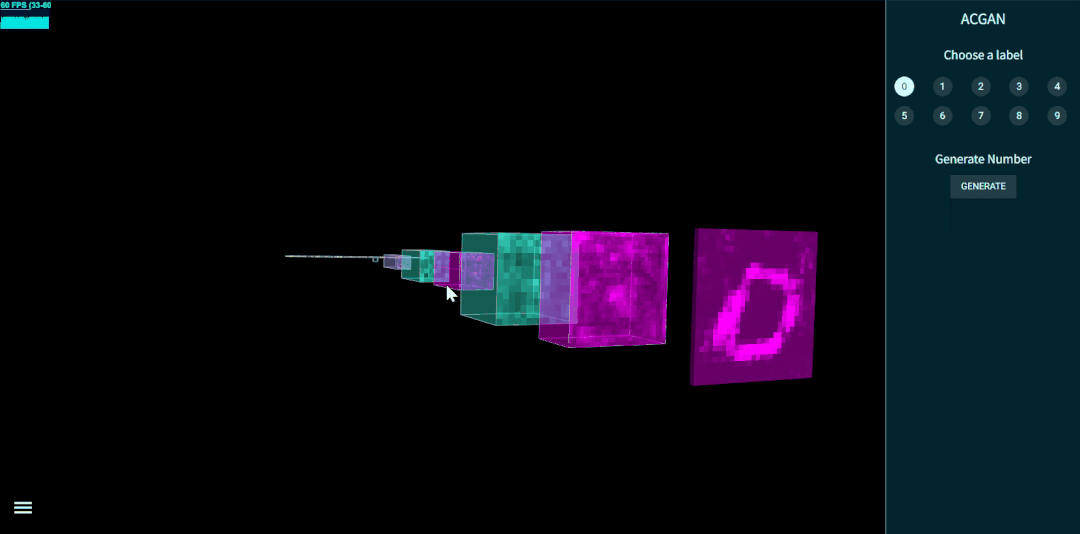
14、TensorSpace
3D模式展示神经网络,
15. CNN Explainer
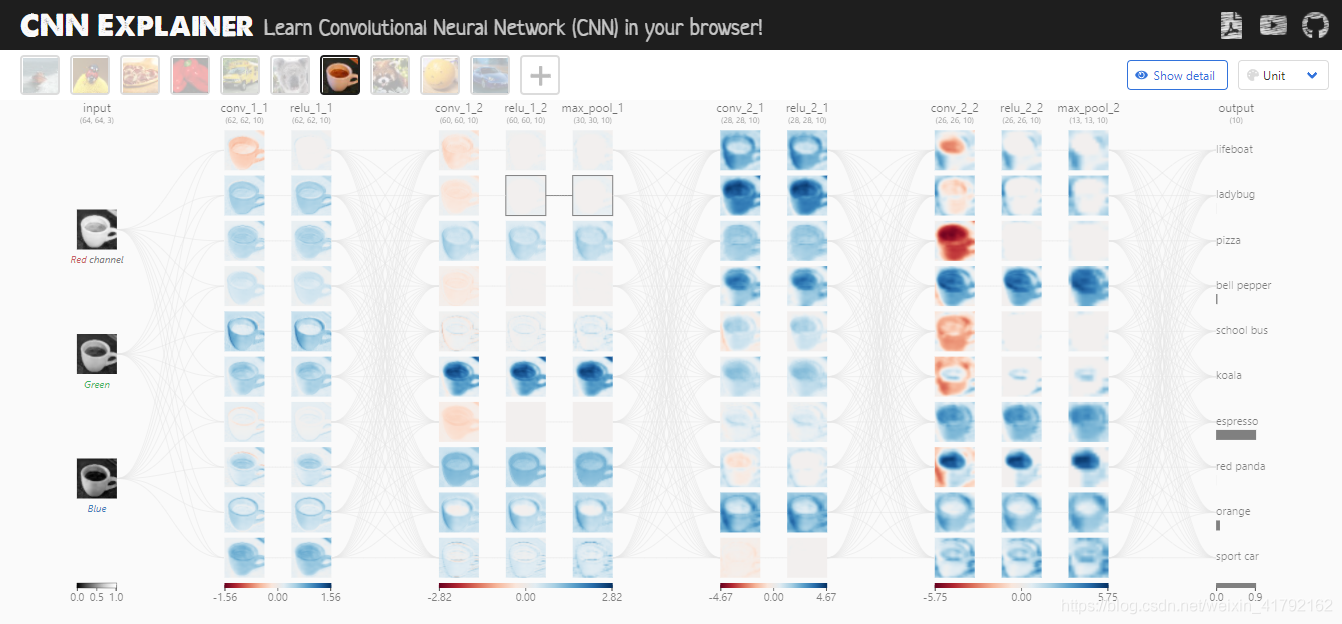
CNN Explainer 可以交互查看卷积、激活和池化过程。刚接触 CNN 时,我觉得它比只看公式直观得多。
CNN解释器地址:CNN Explainer
CNN解释器文献:CNN Explainer: Learning Convolutional Neural Networks with Interactive Visualization
CNN github地址:https://github.com/poloclub/cnn-explainer
CNN解释器安装:https://zhuanlan.zhihu.com/p/141537738
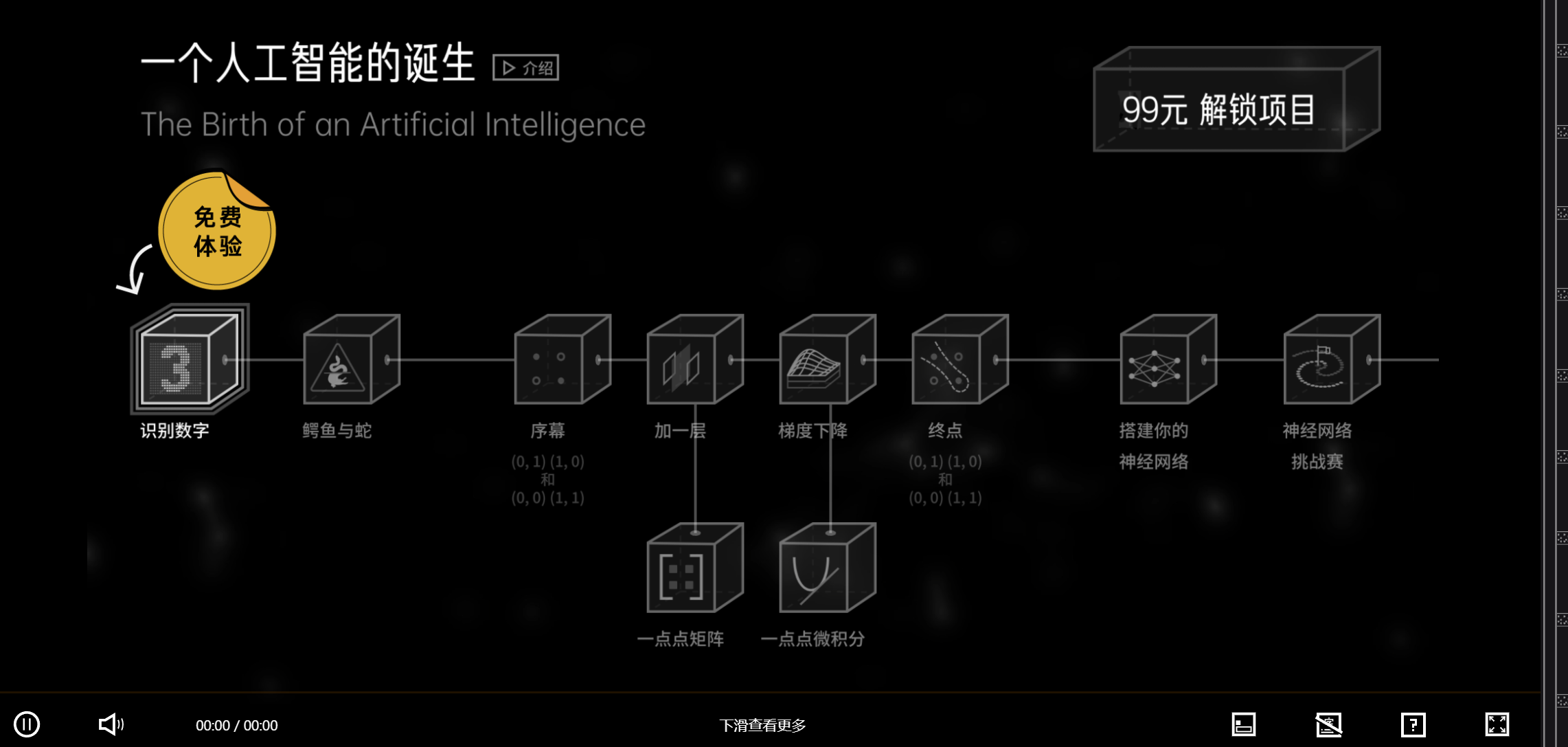
16. 基本操作《人工智能的诞生》
交互式视频课程,内容适合初学者,不过需要付费,我当时没有把它列为首选。
人工智能的诞生